
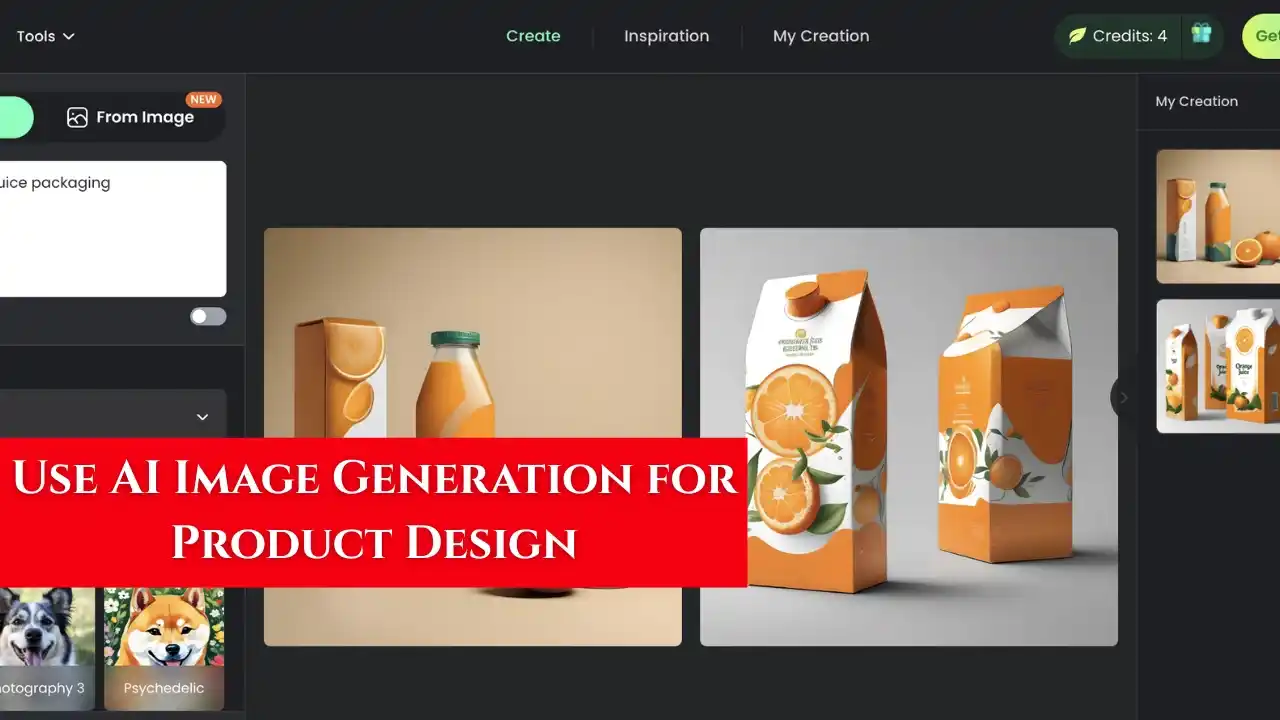
Artificial Intelligence is transforming the way products are imagined, designed, and marketed. In the past, creating product concepts required advanced graphic design skills and expensive software. Today, AI image generation tools make it possible for anyone—designers, entrepreneurs, or students—to visualize and design high-quality product images quickly and creatively.
This article explains how AI image generation works, how it can be applied to product design, and the best tools and steps to use for generating realistic product visuals.
What Is AI Image Generation
AI image generation is a process where artificial intelligence creates new images based on written prompts or ideas. These tools are trained on millions of visual examples and can produce realistic designs, textures, and layouts from simple text inputs.
For example, if you type a prompt like “modern smartwatch with gold frame and black leather strap,” the AI can generate a detailed and professional-looking image that matches the description.
Why Use AI for Product Design
AI helps designers and businesses save time, explore creativity, and reduce costs during the design and marketing process.
Here are some key advantages:
- You can create multiple design variations in minutes.
- It removes the need for advanced design software knowledge.
- You can experiment with colors, shapes, and packaging ideas before manufacturing.
- It helps visualize new concepts for presentations and client proposals.
- It reduces the cost of hiring professional designers for basic mockups.
For small businesses, startups, and freelancers in India, AI image generation is a powerful and affordable design solution.
Best AI Tools for Product Design
Midjourney
Midjourney is one of the most advanced AI image generators for creative professionals. It produces detailed, artistic, and realistic product renders.
How to use it
- Join the official Midjourney Discord channel.
- Type your design prompt in the format “/imagine product design prompt.”
- Add details such as color, material, lighting, and background.
- Choose the image variation that best suits your vision.
Leonardo AI
Leonardo AI is a versatile image generation tool known for its product visualization capabilities. It offers realistic rendering and lighting controls for design projects.
How to use it
- Log in to Leonardo AI and select “Image Generation.”
- Enter a descriptive text prompt, for example, “luxury skincare bottle with rose gold cap on marble surface.”
- Adjust the style and realism settings.
- Download or refine the best result.
DALL·E
DALL·E, created by OpenAI, is ideal for simple and creative product concept designs. It works through text prompts and generates images that can be used for branding or packaging mockups.
How to use it
- Go to the DALL·E interface.
- Type your product description with as many details as possible.
- Review the results and download the best image for your presentation or prototype.
Adobe Firefly
Adobe Firefly integrates AI image generation into professional design workflows. It is useful for product designers who already use Adobe Photoshop or Illustrator.
How to use it
- Open Firefly on the Adobe website.
- Choose “Text to Image” or “Generative Fill.”
- Input your product design idea and style.
- Export the image to Photoshop for finishing touches.
Canva AI
Canva’s Magic Studio includes a text-to-image generator that can be used for product and packaging concepts. It is beginner-friendly and ideal for creating promotional visuals.
How to use it
- Open Canva and search for “AI Image Generator.”
- Enter a short description of the product.
- Customize the generated image with text, logo, and background.
- Save the final design as a presentation or marketing image.
Step-by-Step Guide to Using AI for Product Design
Step 1 Define Your Concept
Decide what product you want to design. Write down its purpose, target audience, color preferences, materials, and design style.
Example: “Minimalist stainless steel water bottle for gym users with matte finish.”
Step 2 Choose the Right AI Tool
Select a tool based on your needs. For realistic mockups, use Midjourney or Leonardo AI. For simpler marketing visuals, use Canva AI or DALL·E.
Step 3 Write an Effective Prompt
The quality of the image depends on how clearly you describe it.
Good prompt example: “Modern wireless earphones in matte black with transparent case, displayed on dark gradient background, studio lighting.”
Step 4 Generate and Refine
Run the prompt to generate 3–5 image variations. Pick your favorite version and refine it by adjusting colors, shadows, or angles. Most tools allow you to re-generate improved versions using feedback.
Step 5 Edit and Brand Your Design
Use tools like Canva, Photoshop, or Fotor to add your brand logo, label, or packaging details. This step helps convert the concept image into a ready-to-present design.
Step 6 Save and Export
Once satisfied with your design, export it in high resolution. Save it as JPG or PNG for web use or PDF for printing presentations.
Real-World Uses of AI Image Generation in Product Design
- Startups – Use AI to visualize products before manufacturing prototypes.
- Freelancers – Create concept art for clients without expensive tools.
- Marketing Agencies – Design promotional visuals for ads and campaigns.
- eCommerce Sellers – Generate product mockups for online listings.
- Packaging Designers – Experiment with label and color ideas for branding.
Tips for Getting Better Results
- Be specific with your prompts; include size, texture, and lighting details.
- Use realistic terms such as “studio lighting,” “3D render,” or “product photo.”
- Generate multiple versions before choosing one.
- Avoid adding logos or text in AI images; edit them separately later.
- Keep refining the prompt until the output matches your imagination.
Future of AI in Product Design
AI will continue to evolve and integrate with design tools. Future updates will allow automatic 3D modeling, material simulation, and direct export to manufacturing software. Designers who learn AI tools now will stay ahead of competition and work faster with improved creativity.
Conclusion
AI image generation is a game-changer in product design. It allows anyone, even without formal design experience, to create professional and realistic visuals for marketing, prototypes, and presentations. By mastering tools like Midjourney, Leonardo AI, DALL·E, Firefly, or Canva AI, you can turn your product ideas into real, visually impressive designs.
Start experimenting today. The more you practice, the better you’ll understand how to write effective prompts and produce designs that stand out in the digital marketplace.